






KNOW WHAT IS RUNNING, WAITING, AND STUCK.
Use board, list, calendar, machine queue, and install views. Due dates, tasks, artwork, job details, and production status stay close to the work.
PRODUCTION SOFTWARE FOR PRINT SHOPS
Set shop costs with available guided helpers. Run the work on the floor. Keep press time, pauses, ink, and materials on the job so you can review the evidence before pricing the next one.

ON THE FLOOR
Apparel, signs, wraps, installs, and promo work do not move the same way. OBPrint gives each department a place to run without losing the job tying it all together.
Use board, list, calendar, machine queue, and install views. Due dates, tasks, artwork, job details, and production status stay close to the work.
Record setup and run time, piece progress, pauses, and issues from the floor. Compare the time you planned with the time the job took.
Record ink and material use where the work happened. Keep those production details available when the owner reviews how the estimate held up.
Accepted line items, production notes, artwork, tasks, and proof decisions carry into the records used by production.

YOUR FIRST JOB
Set the inputs you know, run one real job, and review what the floor recorded. Add older customers and jobs only when they matter.
Enter recurring shop expenses and operating hours. Where available, use a cost setup helper to review labor, equipment, overhead, setup, run, and consumable assumptions before applying a pricing matrix.
Bring the next accepted job onto the board and work order. Track floor progress, press time, pauses, pieces, ink, and materials as your team runs it.
Compare the plan with the production record and estimated cost views. You choose whether the shop’s inputs or pricing rules need to change.
SAME JOB. NO REBUILD.
A customer approves the quote. Your team converts it into a sales order. Accepted line items carry into production and invoicing without rebuilding the job from scratch.
Capture the request
Build and price the work
The customer approves the quote and proof
Carry the accepted work forward
Run the job from linked records
Open billing from the sales order
People still make the decisions. Your team chooses when to send, convert, schedule, invoice, and request payment.
OPTIONAL QUOTE PREVIEW
Pick a sample blank, then add decoration, quantities, fees, and markup. See how each input shapes the estimate before the job reaches production.
Sample catalog records and shop settings. Nothing is saved or sent.

WE STILL RUN A SHOP ON THIS
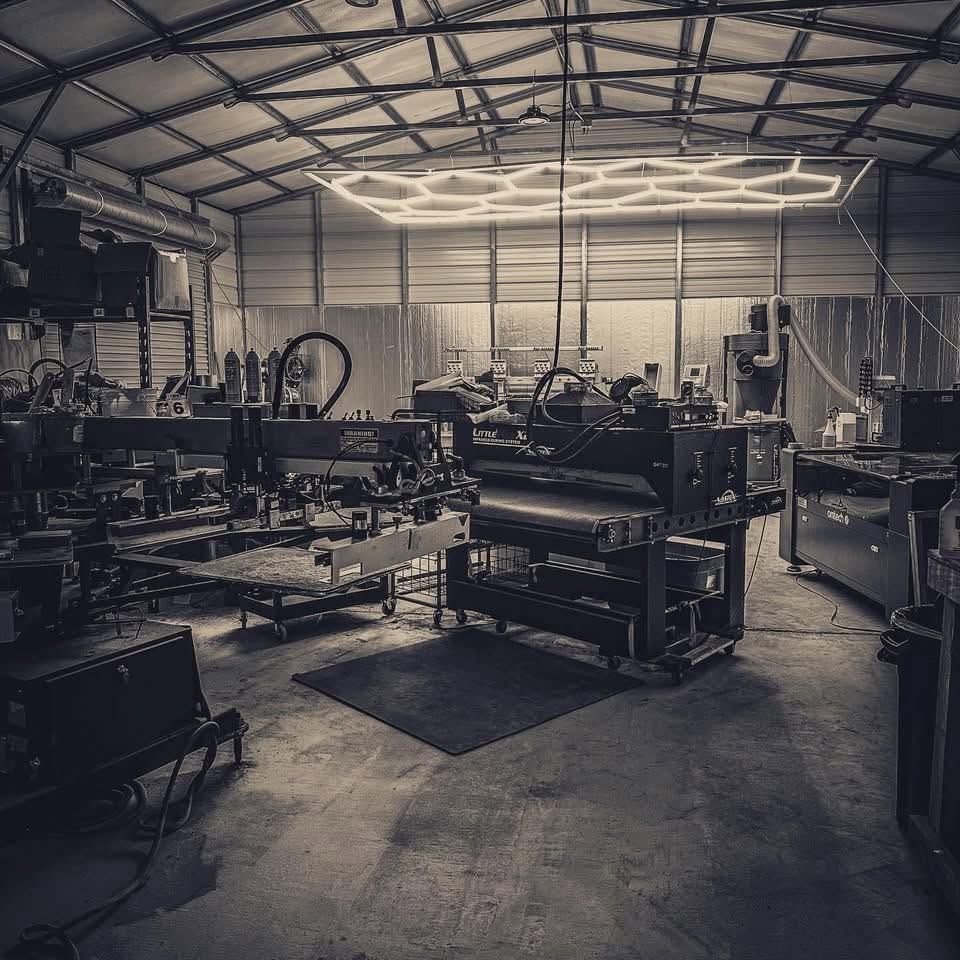
OBPrint started as internal software for a working print shop. We still use the same product we ask other shops to trust.
The product gets judged where yours will: jobs due, customers waiting, presses running, and somebody needing the right answer before the day gets away.
Dustin TincherOwner, OBPrint · Shop owner, Bigfoot DesignsPICK YOUR RUN
Short Run covers the basics with monthly limits. The Full Run brings in the work-order production tools, more seats, OB-5, MockLab, merch, and the rest of the shop.
Short Run
$0/mo
Free with monthly limits.
One owner login running quotes, the production list, proofs, job costing, and payments.
Forever free with monthly limits. Work order Production tools need The Full Run. Upgrade anytime.
The Full Run
$120/mo
$1,000 billed once yearly · save $440
The whole shop. Unlimited quoting, floor controls, mockups, OB-5, merch stores, integrations, and more seats.
14-day free trial on The Full Run. No credit card required.
STRAIGHT ANSWERS
No. The Full Run trial lasts 14 days and does not require a credit card.
No. Start with the next job coming through the door. Add existing customers and older records when they matter.
The starting price comes from supplier costs, decoration matrices, quantities, fees, markup, and shop settings. Production records give the owner more information to review when pricing the next job. OBPrint does not change the price on its own.
OBPrint can keep press time, pauses, piece progress, ink usage, material usage, tasks, and floor progress with the production work.
Custom apparel, screen print, embroidery, DTF, signs, wraps, installs, and promo work.
No. OB-5 prepares supported drafts and suggestions. Dollar amounts still come from the shop’s pricing sources. Supported actions require a person to review and confirm them.
Choose The Full Run or continue on Short Run within its monthly limits.
Open Settings, choose Subscription, then select Open billing portal. Stripe’s billing portal handles plan changes and cancellation.
THE NEXT JOB IS ENOUGH
Run one job through OBPrint. Keep its press time, pauses, materials, and production activity. Review that record when the next price gets built.
14-day free trial on The Full Run. No credit card required.